Single Line Speaker Phone
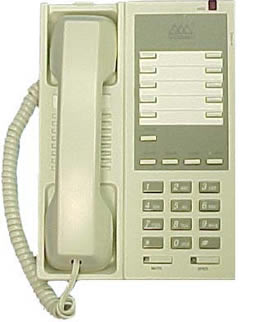
| Hold Call | Press the Hold button |
|---|---|
| Hold Retrieve | If you hang up the handset, pick-up the handset to resume the call. If you did not hang up the handset, press the Hold button to resume the call. |
| Transfer (Screened) | Press the Flash button, dial the extension, announce transfer, hang up |
| Transfer (Unscreened) | Press the Flash button, dial the extension, listen for ring, hang up |
| Call Park | Press the Flash button and *9, hang up |
| Call Park (Local Retrieval) | Lift handset, dial #9 |
| Call Park (Remote Retrieval) | Lift handset, dial #8 plus the original extension |
| Call Pick-Up (Group) | Lift handset, dial *4 (To establish a new call pick-up group, contact the IT Support Center.) |
| Call Pick-Up (Directed) | Lift handset, dial #4 plus the extension |
| Program Speed Dial | For model 2802-08:
For model 2703-08:
|
| Conference | While on a call, press the Flash button, dial a second number, press the Flash button again. A total of three (3) parties may be on a call simultaneously. |
| Redial | Lift handset, dial #7 |
| Call Forward | When forwarding your calls to voicemail, the extension number to enter is 3750. See more options below.* |
| Activate | Deactivate | |
|---|---|---|
| Ring No Answer | *5 plus the extension | #5 |
| Forward Busy | *2 plus the extension | #2 |
| Forward All | *3 plus the extension | #3 |